MIDI Designer Pro and Lite are ready for iOS 7 as of version 1.5.6 (released yesterday, September 17, 2013). Version 1.5.5 will work on iOS 7 and continue to look like it did on iOS 6. If you have any problems, please upgrade to MIDI Designer 1.5.6 andget in touch. [2014-06-03 Update Confirmed: Users experiences NO problems with our iOS 7 Upgrade]
But enough about MIDI Designer! What about iOS? Which devices get left behind?
The other was a suggestion from User #1 (Mike Rosenstark) to have to return to the previous on last button press. Apparently, this was a feature on the Digitech PMC 10, although that’s hard to confirm right now (no longer in production).
The feature is called Bounce Back because of this suggestion (and it sounds cool, too). Instructions below.
English
Spanish
Set It Up
Create a dynamic control (knob, slider, crossfader or the axis of an X/Y pad)
Make it a supercontrol
Add all the buttons of interest as subcontrols. Now you have a button group.
Now use Relationships → Options as Super → Button Group 2nd Press
Options
Button Shuts Off — second tap turns the selected button off. Now all the buttons are off.
No Action (Exclusive) — second tap does nothing. After initial press, one button is always on
Resend (Exclusive 2) — second tap resends on value. After initial press, one button is always on
Bounce Back to Previous Button — second tap selects previously selected button. After initial press, one button is always on
Bounce Back to First Button — second tap selects first button in button group. After initial press, one button is always on
Bounce Back to Last Button — second tap selects last button in button group. After initial press, one button is always on
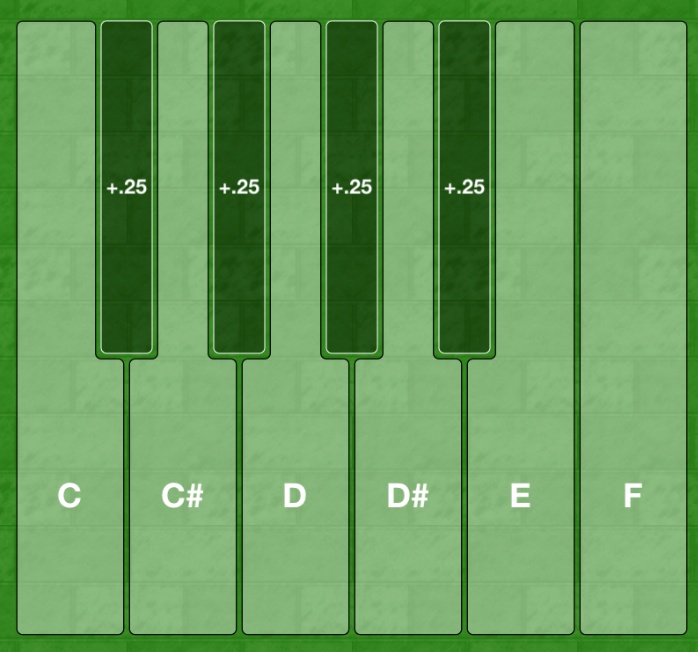
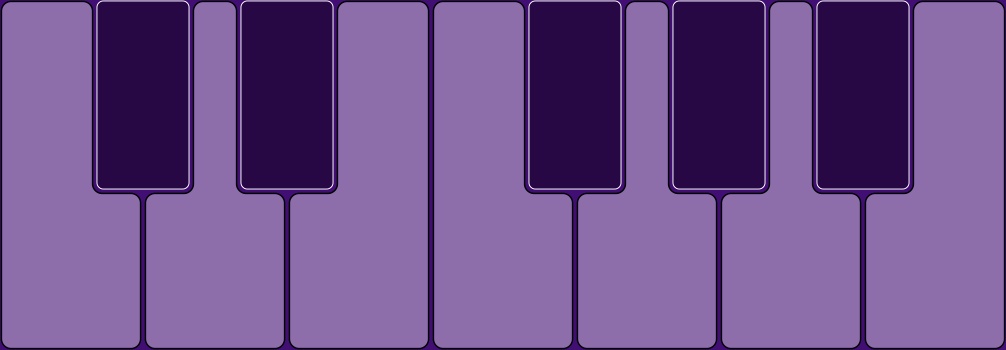
In 1.5.1, button shapes got an additional key shape to handle your keyboard ending in C. Keyboard shapes allow for all kinds of unique and new possibilities.
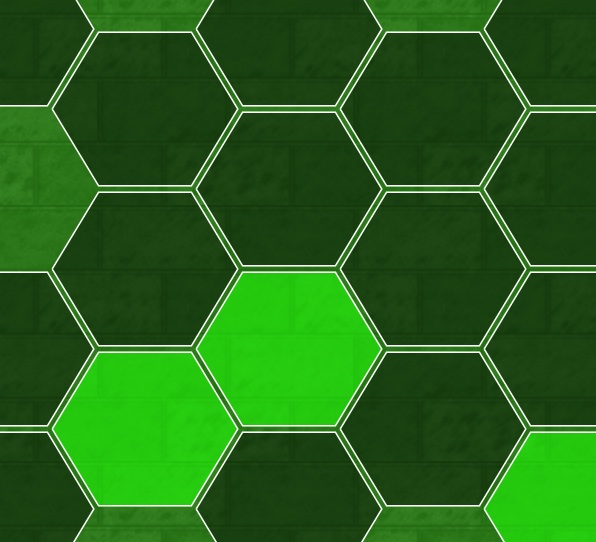
New in 1.5.1: Hex Keys
Hexagonal keys have been used in isomorphic or generalized keyboards since Bosanquet’s original investigation in 1875. Isomorphic keyboards have a rich history and present interesting advantages over normal (“asymmetric”) keyboards (read more about Isomorphic Keyboards at altKeyboards).
But hexagonal keys have other uses, too, including the pioneering use in drums by Simmons.
MIDI Designer users will no doubt find creative and innovative uses for hex keys.
More Shapes Coming Soon
Hex shapes and piano keys are just to get the ball rolling. Look for more shapes in the future!
Update for 1.6 (January 2014)
Circular buttons added.
Update for 1.6.1 (Coming in April 2014)
Transpose and Octave Transpose coming out now. This will give your keyboards serious playability and provide some very interesting possibilities.
Supercontrols and subcontrols handle a lot of situations. Examples include:
button groups
supercontrols with a different number of steps or ticks
supercontrols that “gang” together several subcontrols
supercontrols that snap subs to a different value
Example: Button Groups
For instance, to get radio buttons, called “Button Groups” in MIDI Designer:
make a relative controls (knob, slider, etc.) the supercontrol of two or more buttons
now turning one button on will turn the others off
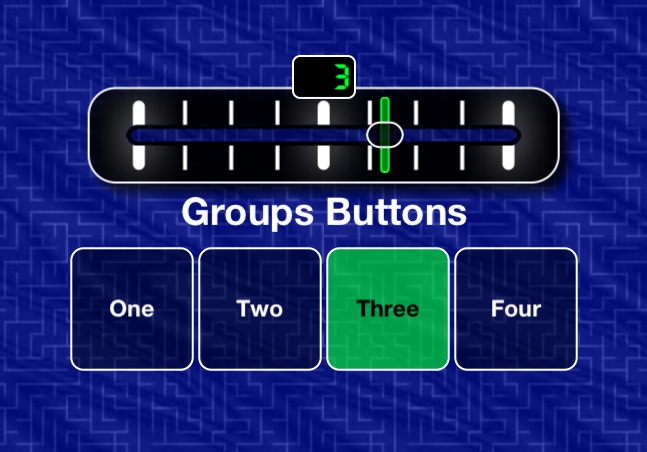
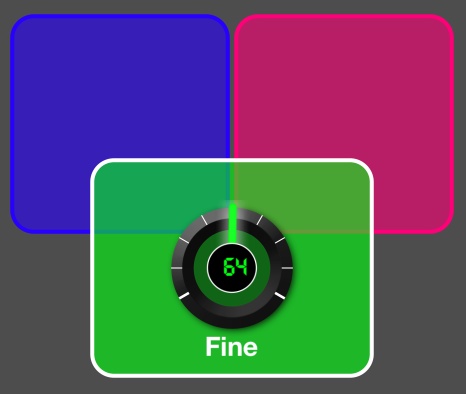
Consider this example screenshot:
The Problem
The crossfader can change the buttons, but for many users, it’s not necessary.
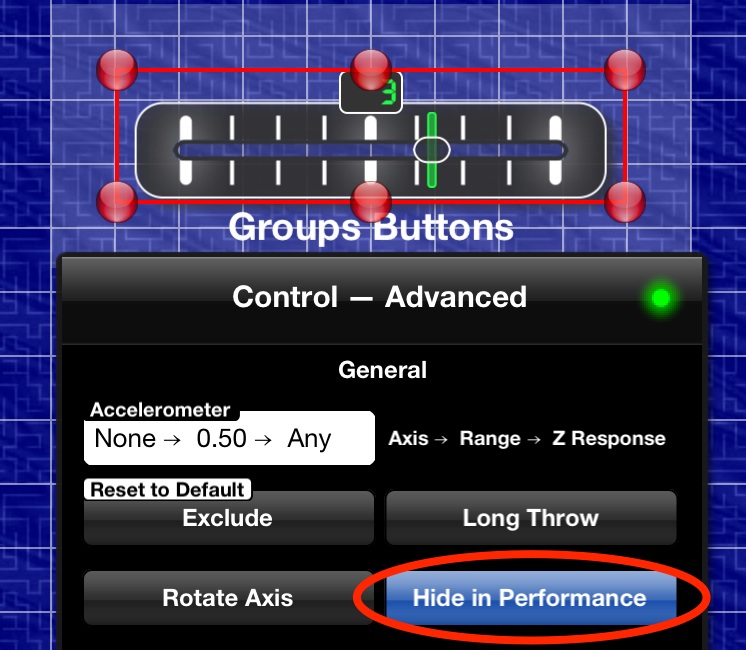
The Solution: Hide in Performance
In design mode, select Hide in Performance
Now when you switch back to performance mode, the crossfader is hidden.
Other Use Cases
In other situations, or most situation, it’s a subcontrol that you will be hiding in performance mode. While the subcontrol does the actual sending of MIDI messages in most cases, the user does not interact with it.
Take Away
Use Hide in Performance for any situation in which a super- or subcontrol does not need to be presented to the user in performance mode.
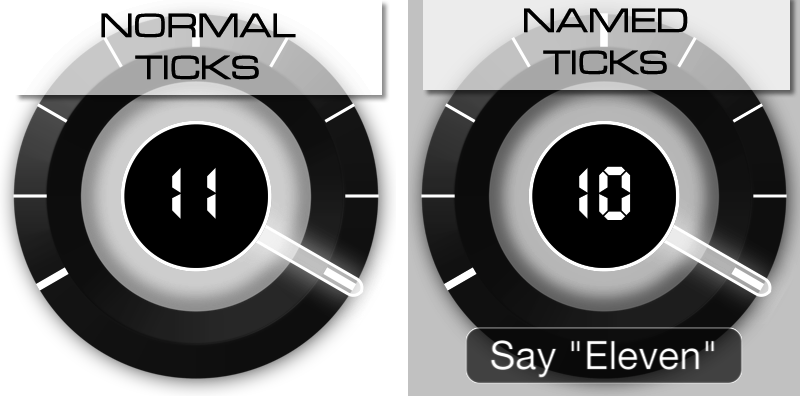
This article applies to all dynamic controls: Knobs, Slider, Crossfaders, and XY-Pads. Named Ticks is a new feature in 1.5.1 (May 2013). Ticks have always been a feature of MIDI Designer.
Normal Ticks
Before named ticks there were always ticks in MIDI Designer.
By default, a knob has 128 ticks (or “steps,” from 0-127).
Adjust Normal Ticks
In MIDI Designer you can can adjust ticks by adjusting:
number of ticks for the control
display min and max of the control
MIDI min and max of the control
By default, a knob has 128 ticks, a display min-max of 0-127 and a MIDI min-max of 0-127.
You can create a lot of what you need this way.
What You Can Do With Normal Ticks
Make a full-range knob that goes from -5 to +5.
Create a half-range slider that goes from 0-500 by 10s.
Create a crossfader that goes from -10 to 0 and sends 0-127.
Named Ticks
Named Ticks allow you to define each tick (or “step”) of a dynamic control. Define as many ticks as you need. Each tick has:
a MIDI value
a Display value
a Name
MIDI Designer also provides a rich editor for named ticks. The editor provides automatic re-numbering and direct text entry.
MIDI Designer release 1.5 introduces front-back layering in MIDI Designer. This means, simply, that you can:
put a control on top of another one (overlapping or completely enclosed)
consistently layer: your layering will not change in performance mode and is saved with the layout.
How to Layer
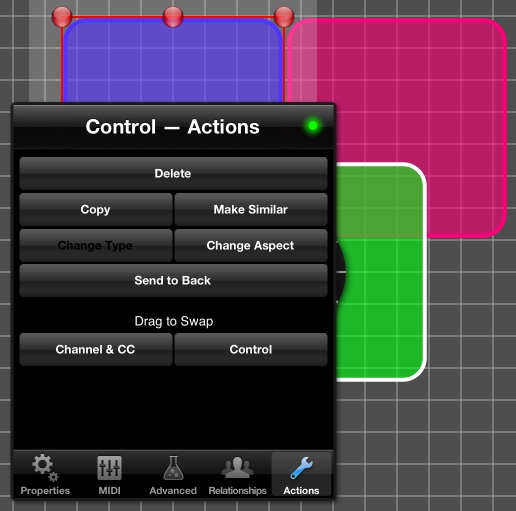
When a control is touched in Design Mode, it is automatically brought to the front
To send a control to the back, use Actions -> Send to Back
Notes
On iPad, controls that span both pages cannot be layered behind controls on the right page. This problem currently has no solution and typically affects only one-big-page users.
Panels do not enter the layering scheme for MIDI Designer. They are always behind controls. If your panels ever appear over the controls, switch pages and switch back. This is a small defect in 1.5 that will be fixed soon.
MIDI Designer 1.5 introduces several new button features.
Set It Up
Make a button
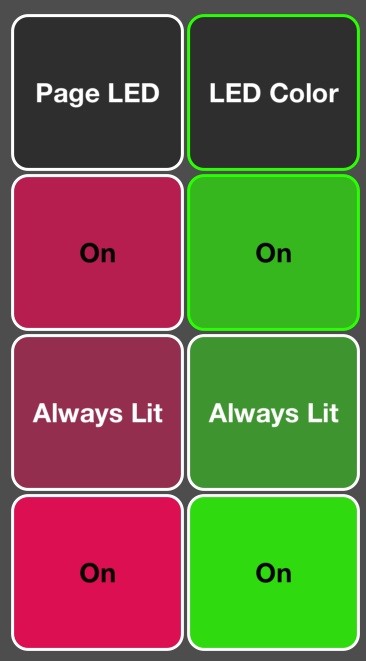
Change its display type to ‘Always Lit’
Note: If the button is always lit, it will take on the same border colors as a button that does not have its own specific LED color. This gives you three specific possibilities (seen here on and off):